



Bluetooth light bulbs have transformed the way millions of homeowners think about everyday illumination. Gone are the days when flipping a wall switch was the only way to control your lighting. Today, Bluetooth-enabled smart bulbs let you dim, change colors, set schedules, and create entire moods right from your phone — no hub required. Whether you are a tech enthusiast looking to build a smart home from scratch or a casual user simply wanting more convenience, understanding what Bluetooth light bulbs offer — and how they differ from other wireless options — is essential before you invest your money. This guide covers everything from setup basics to advanced tips, helping you make an informed decision.
What Exactly Are Bluetooth Light Bulbs?
Bluetooth light bulbs are wireless LED bulbs that connect directly to your smartphone, tablet, or compatible device using Bluetooth technology — typically Bluetooth Low Energy (BLE) or Bluetooth 4.0 and above. Instead of relying on a central hub or your home Wi-Fi network, these bulbs establish a direct peer-to-peer connection with your device within a range of roughly 30 to 100 feet, depending on the model and your environment.
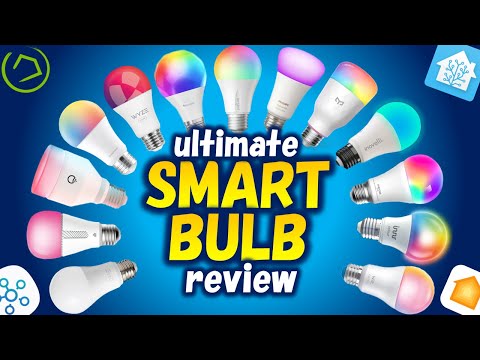
Most Bluetooth smart bulbs come packed with features like adjustable brightness levels, color temperature controls, and full RGB color mixing. Popular brands such as Philips Hue Bluetooth, Sengled, Wyze Bulb Color, and LIFX Mini have brought this technology into the mainstream at accessible price points. The key distinction is that these bulbs communicate through a short-range radio protocol rather than your router, which makes them uniquely suited for certain use cases.
How Do Bluetooth Light Bulbs Actually Work?
Understanding the mechanics behind bluetooth connected lighting helps you troubleshoot issues and set realistic expectations for performance.
The Bluetooth Protocol Inside Your Bulb
Each Bluetooth light bulb contains a tiny wireless radio chip that listens for signals from a paired device. When you open the companion app — such as the Philips Hue Bluetooth app or the Wyze app — your phone broadcasts a signal. The bulb receives it, decodes the command, and adjusts its LEDs accordingly. Because Bluetooth uses low-energy protocols, the power draw from the wireless chip is minimal, meaning your bulb still lasts for 15,000 to 25,000 hours or more.
Range and Signal Behavior
Bluetooth operates on the 2.4 GHz band and has a practical range of about 30 to 50 feet in open space. Walls, furniture, and other obstructions reduce this range. This is one reason why Bluetooth bulbs work best in single-room setups — a bedroom, bathroom, or office — rather than whole-home deployments.
Mesh Networking with Bluetooth Mesh
Newer Bluetooth light bulbs support Bluetooth Mesh, a protocol that allows each bulb to act as a relay for the others. In a mesh network, a signal from your phone can hop from bulb to bulb, extending the effective range and improving reliability. This technology is increasingly found in commercial and larger residential installations.
Key Benefits of Bluetooth Light Bulbs
Why should you choose a bluetooth wireless bulb over a traditional bulb or even a Wi-Fi smart bulb? Here are the most compelling advantages:
- No Hub Required: Unlike many Wi-Fi ecosystems that demand a dedicated bridge or hub (like Philips Hue’s original Hue Bridge), Bluetooth bulbs connect directly to your phone. This eliminates an extra device and reduces setup complexity.
- Low Power Consumption: Bluetooth LE technology draws far less energy than Wi-Fi, contributing to the bulb’s overall efficiency and long lifespan.
- Privacy and Security: Because Bluetooth signals stay local and do not travel through your router to a cloud server, your lighting data remains on your device. This is a significant advantage for privacy-conscious users.
- Easy Pairing: Most Bluetooth smart bulbs pair in under 60 seconds through a simple app interface, making them ideal for beginners.
- Cost-Effective: Bluetooth bulbs tend to be more affordable than their Wi-Fi counterparts, especially since you do not need a hub or subscription service.
- Reliable in Local Networks: Bluetooth does not depend on your Wi-Fi router being online, so your lights still work even if your internet goes down.
Top Bluetooth Light Bulbs Compared
Not all wireless smart bulbs are created equal. The table below compares popular Bluetooth bulbs across the features that matter most to buyers.
| Brand & Model | Color Support | Range | HUB Needed? | Avg Price |
| Philips Hue Bluetooth | 16 million colors + white temp | ~33 ft | No | $15–$25 |
| Sengled Smart Bluetooth | White + color | ~30 ft | No | $10–$18 |
| Wyze Bulb Color | 16 million colors + tunable white | ~30 ft | No | $8–$12 |
| LIFX Mini Bluetooth | 16 million colors + white | ~30 ft | No | $20–$30 |
| TP-Link Tapo Bluetooth | White + color | ~33 ft | No | $10–$15 |

As you can see, the Wyze Bulb Color offers exceptional value, while the Philips Hue Bluetooth line delivers the most polished app experience and ecosystem integration. Your choice should depend on your budget, desired features, and whether you plan to expand beyond Bluetooth later.
Bluetooth vs Wi-Fi Smart Bulbs: Which Should You Choose?
This is one of the most common questions among shoppers, and the answer depends entirely on your use case.
| Feature | Bluetooth Bulbs | Wi-Fi Smart Bulbs |
| Hub Required | No | No (but may need hub for full features) |
| Control Range | 30–100 ft | Unlimited (via internet) |
| Remote Access Away from Home | Limited | Full access |
| Power Draw | Very low | Higher |
| Network Congestion | Minimal | Can impact router |
| Setup Complexity | Very simple | Moderate |
| Price | Lower | Higher |
Choose Bluetooth if you want simple, local control in a single room or small apartment. Choose Wi-Fi if you need remote access, voice assistant integration across multiple rooms, or whole-home automation that survives when you leave the house.
When to Go Bluetooth
Bluetooth bulbs are ideal for renters, dorm rooms, small apartments, or anyone who wants a no-fuss smart lighting setup. They are also excellent as complementary bulbs in a home that already has a Wi-Fi-based smart home system — you add Bluetooth bulbs in rooms where you want quick local control without adding more devices to your Wi-Fi network.
When to Choose Wi-Fi Instead
If you rely on voice commands from Alexa, Google Assistant, or Siri when you are not at home, or if you want to build automations like “turn off all lights at midnight,” Wi-Fi bulbs (or Bluetooth bulbs that connect to a hub) are the better option.
How to Set Up Bluetooth Light Bulbs in 5 Simple Steps
Setting up your bluetooth LED bulbs is straightforward. Follow these steps for a smooth installation:
- Screw in the bulb and turn on the light switch. Wait for the bulb to power up fully — many Bluetooth bulbs blink or pulse during pairing mode.
- Download the companion app from the App Store or Google Play. Popular apps include the Philips Hue app, Wyze app, or Tapo app.
- Enable Bluetooth on your smartphone or tablet. Make sure you are within 30 feet of the bulb.
- Open the app and tap “Add Device.” The app will scan for nearby Bluetooth bulbs. Select your bulb when it appears.
- Follow the on-screen prompts to name your bulb, assign it to a room, and explore features like color presets, scheduling, and brightness levels.
Expert tip: If your bulb does not appear during scanning, toggle Bluetooth off and on again, ensure your phone’s location services are enabled (many Bluetooth scanning APIs require it), and make sure the bulb is in pairing mode by checking that it is blinking or has been freshly powered on.
Common Limitations and How to Overcome Them
Bluetooth light bulbs are not without their quirks. Here are the most common limitations and practical solutions:
- Limited Range: If you lose connection when you walk to another room, consider using a Bluetooth mesh bulb that extends the signal through other paired bulbs, or pair the bulb with a Bluetooth gateway that bridges to your Wi-Fi network.
- No Away-from-Home Control: Without a hub, you cannot control Bluetooth bulbs when you are outside your home’s range. Some brands solve this by offering optional Bluetooth hubs that add cloud connectivity for a modest additional cost.
- Device Limit: Most Bluetooth bulbs can handle between 7 and 10 paired devices before performance degrades. For larger setups, use a hub or switch to Wi-Fi bulbs for the bulk of your lighting.
- App Dependency: You always need your phone or a paired tablet to access advanced features. Voice assistant integration may require a hub, which brings additional cost.
Final Thoughts and Recommendations
Bluetooth light bulbs represent one of the most accessible and affordable entry points into smart home lighting. They deliver genuine convenience without the complexity of hubs, subscriptions, or network configurations. For single-room setups, apartment living, or budget-conscious buyers, a bluetooth wireless bulb is an excellent choice that punches well above its price.
If you are ready to start, the Wyze Bulb Color and Philips Hue Bluetooth both offer outstanding value and reliability. Start with one or two bulbs in your bedroom or living room, experiment with scenes and schedules, and expand from there as you become comfortable with the technology.
Frequently Asked Questions
Can I use Bluetooth light bulbs without Wi-Fi? Yes. Bluetooth bulbs operate independently of your Wi-Fi network. They connect directly to your phone via Bluetooth, so you can control them even if your internet is down or you do not have a router at all.
Do Bluetooth light bulbs work with Alexa or Google Assistant? Many do, but usually only when paired with a Bluetooth hub or gateway. Standalone Bluetooth bulbs without a bridge typically cannot connect directly to voice assistants for remote or hands-free control.
How far can you control a Bluetooth light bulb from your phone? In open space, most Bluetooth smart bulbs have a practical range of 30 to 100 feet. Walls, metal objects, and electronic interference reduce this range significantly, so proximity matters.
Are Bluetooth light bulbs secure? Generally yes. Bluetooth connections use encrypted pairing protocols, and because the data does not leave your local device or travel through a cloud server, your lighting data is less exposed than with cloud-dependent Wi-Fi bulbs.
Can I control multiple Bluetooth bulbs at once? Most companion apps allow you to group bulbs together so you can turn them all on or off with a single tap. However, each bulb must be individually paired to your device first, and the total number of simultaneously connected bulbs varies by app and manufacturer.
Do Bluetooth mesh bulbs really extend the range? Yes. Bluetooth mesh networking allows each bulb to relay signals to others, creating a daisy-chain effect. In a well-set-up mesh network, you can control bulbs across an entire floor of a house without losing connection.