



Transforming your living space into an intelligent, responsive environment starts with the right alexa smart light ecosystem. When you step into a room and simply say, “Turn on the lights,” a seamless symphony of illumination responds to your command. This isn’t just about convenience; it’s about redefining how we interact with our homes. Alexa smart lighting solutions bridge the gap between traditional illumination and modern automation, offering unprecedented control at your fingertips. Whether you are a tech enthusiast building a comprehensive smart home or a casual user seeking a few voice-activated bulbs, understanding these connected devices is essential. By integrating smart home lighting with Amazon’s voice assistant, you unlock endless possibilities for ambiance, energy efficiency, and hands-free operation.
What Exactly Is an Alexa Smart Light?
An alexa smart light refers to any Wi-Fi or Zigbee-enabled bulb, strip, or fixture that connects directly to Amazon’s Echo devices or the Alexa app. Unlike conventional bulbs, these intelligent lighting solutions communicate wirelessly, allowing you to adjust brightness, change colors, and set schedules without lifting a finger. The magic lies in the integration between the hardware and the Alexa cloud, creating a responsive network that feels almost instantaneous.
How Voice-Controlled Lighting Works
When you issue a command, the voice-controlled lighting system routes your request through Amazon’s servers, which translates the instruction into a signal your specific bulb understands. This process happens in milliseconds, making the experience feel immediate. Furthermore, because these devices operate on the Internet of Things (IoT) protocol, they can be grouped together or synced with other smart devices. If you say, “Alexa, movie time,” the smart bulbs can dim to a warm 10%, and your smart TV can turn on simultaneously, creating a cohesive entertainment experience.
Setting Up Your Alexa Smart Light
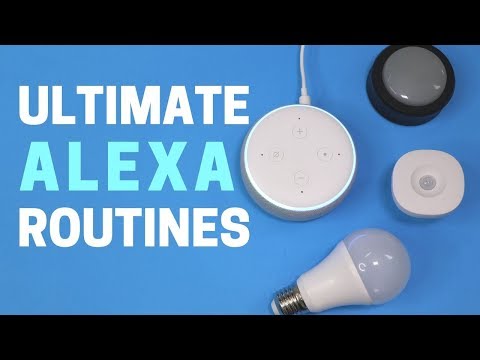
Getting started with smart lighting automation is surprisingly straightforward, even if you aren’t particularly tech-savvy. The setup process typically takes just a few minutes, but there are nuances to ensure everything runs smoothly.
Step-by-Step Pairing Process
- Install the bulb: Screw your new Alexa smart light into a standard socket and turn it on.
- Download the Alexa app: Open the app on your smartphone and navigate to the “Devices” tab.
- Add a device: Tap the plus icon, select “Add Device,” choose “Light,” and follow the on-screen prompts.
Creating Lighting Scenes and Routines
Once your devices are connected, the real power emerges when you start building Alexa lighting routines. A scene is a specific configuration of lights—perhaps a 40% brightness with a soft amber hue for reading. A routine automates these scenes based on triggers. You can set a “Good Morning” routine that gradually brightens your smart home lighting from 0% to 80% over fifteen minutes, mimicking a natural sunrise. This not only wakes you up gently but also signals to your circadian rhythm that it is time to start the day.
Advanced Smart Lighting Techniques
For those who have moved past basic on-and-off control, alexa smart light systems offer a deep dive into customization and automation that can truly elevate your home’s functionality.
Integrating Third-Party Devices and Color Control
Amazon’s Alexa acts as the central hub for a sprawling smart home. By linking your voice-controlled bulbs with platforms like IFTTT, you can create highly specific conditional triggers. For example, you can program your smart lighting automation to flash red if a security camera detects motion, or change to a cool blue when the outside temperature rises. When choosing bulbs, understanding color temperature is crucial. Tunable white lights adjust on the Kelvin scale, ranging from warm 2700K yellows to crisp 6500K daylight. RGB bulbs allow for millions of colors, perfect for gaming or home theaters. Pairing these capabilities with the Alexa app gives you granular control over the exact vibe of any room.
Alexa Smart Light vs. Traditional Smart Lighting
When building your smart home lighting ecosystem, you might wonder whether to rely purely on Alexa-compatible devices or stick with traditional smart switches. Understanding the differences helps you make an informed decision.
| Feature | Alexa Smart Bulbs | Smart Switches |
| Installation | Screw-in, no wiring required | Requires electrical wiring knowledge |
| Control Method | Voice, app, remote | App, physical switch |
| Power Dependency | Requires constant power | Works with any dumb bulb |
| Cost per Fixture | Higher (bulb must be replaced) | Lower (uses existing wiring) |
Ultimately, the choice depends on your specific needs. Alexa smart lights are perfect for renters seeking quick, flexible installations, whereas traditional smart switches offer a more permanent solution for homeowners.
Expert Tips for Maximizing Your Smart Lighting Setup
To truly get the most out of your alexa smart light configuration, consider these expert recommendations that go beyond the factory defaults.
- Group your devices logically: Create groups by room in the Alexa app so you can say “Turn off the kitchen” rather than addressing every single bulb individually.
- Use the “Dim” command: Instead of setting a specific percentage, simply say “Alexa, dim the living room” and she will lower the lights by 10% each time.
- Enable adaptive lighting: Some smart bulbs feature adaptive lighting that automatically adjusts color temperature throughout the day to match natural sunlight patterns.
- Secure your network: Because IoT devices can be vulnerable, ensure your smart home lighting is on a separate guest network if your router supports it.
- Rename bulbs with a consistent convention: Use clear, distinct names like “Bedroom Ceiling” rather than “Light 1” to prevent Alexa from getting confused.

Frequently Asked Questions
How do I set up an alexa smart light with just my voice?
Setting up an alexa smart light with voice is not entirely possible during the initial pairing phase, as the app requires visual confirmation. However, once the bulb is connected, you can use voice commands exclusively to control it. Simply say “Alexa, turn on light name” or “Alexa, set light name to 50%.” The beauty of the system is that post-setup, you rarely need to touch your phone.
What are the best alexa smart light options for a bedroom?
For a bedroom, the best voice-controlled lighting options prioritize warm, adjustable color temperatures and smooth dimming capabilities. Brands like Philips Hue, LIFX, and Wyze Bulb are highly regarded. Philips Hue offers exceptional color accuracy and integration, while Wyze provides an affordable entry point without sacrificing core smart features. Look for bulbs with tunable white features to create a relaxing, sleep-friendly ambiance in the evening.
Why is my alexa smart light not responding to voice commands?
If your smart lighting automation suddenly becomes unresponsive, the most common culprits are Wi-Fi connectivity issues or unresponsive hubs. First, check if the bulb is powered on and connected to your network. Restarting your Amazon Echo device and your router often resolves temporary glitches. If the issue persists, remove the device from the Alexa app and re-pair it, ensuring the bulb is within a reasonable range of your wireless router.
Can an alexa smart light work without an internet connection?
Generally, voice-controlled bulbs require an active internet connection to process commands through Amazon’s cloud servers. However, if you have a local hub like a Zigbee bridge, local processing might allow basic on/off functionality even if the internet goes down. Without a hub, you can still control smart home lighting via the physical wall switch or Bluetooth if the bulb is within close range, but cloud-dependent features like routines will be offline.
How do I group alexa smart light devices effectively?
Grouping your alexa smart light devices is essential for managing multiple bulbs seamlessly. In the Alexa app, go to the “Devices” tab, select the “+” icon, and choose “Add Device Group.” You can then select all the bulbs in a specific room or area and assign a collective name, such as “Downstairs Lights.” This allows you to issue a single command like “Alexa, turn off the downstairs lights” to control every grouped bulb simultaneously.
Embracing an alexa smart light setup fundamentally changes how you experience your living space. From the ease of adjusting ambient smart home lighting with a simple phrase to the sophisticated automation of daily routines, the benefits are both practical and luxurious. By carefully selecting compatible devices, mastering the art of routines, and applying expert configurations, you can transform any room into a personalized haven of light and color. As technology continues to evolve, these voice-controlled lighting solutions will only become more intuitive, cementing their place as a cornerstone of the modern smart home.