


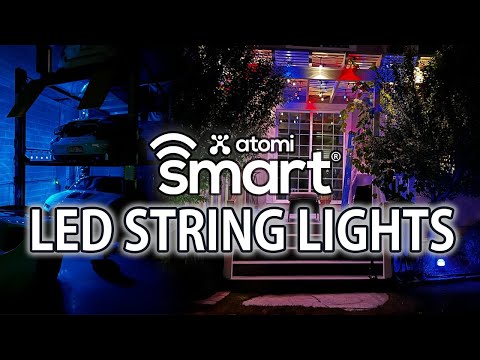
When it comes to transforming your living space with ambient lighting, Atomi smart string lights have quickly become one of the most talked-about options among smart home enthusiasts, event planners, and interior designers alike. These app-controlled LED string lights combine vibrant color options, seamless Wi-Fi connectivity, and voice assistant compatibility into a single, affordable lighting solution that works for indoor and outdoor settings. Whether you are decorating a dorm room, setting up a backyard party, or adding a cozy glow to your living room, Atomi smart string lights deliver a level of customization and convenience that traditional fairy lights simply cannot match. In this comprehensive guide, we will break down everything you need to know — from setup and features to comparisons and real-world use cases — so you can make an informed decision before purchasing.
What Are Atomi Smart String Lights?
Atomi smart string lights are Wi-Fi-enabled LED light strands designed to connect directly to your home wireless network and be controlled through a dedicated smartphone application. Unlike basic plug-and-play string lights, these smart lighting products integrate with ecosystems like Amazon Alexa and Google Assistant, allowing you to adjust brightness, change colors, set timers, and create dynamic lighting scenes entirely hands-free. The brand has built a reputation for offering budget-friendly smart lighting solutions without sacrificing build quality or app functionality, making them a popular choice for both first-time smart home users and seasoned IoT enthusiasts.
Key Features and Specifications
Understanding what sets Atomi smart string lights apart starts with examining the core features packed into each strand:
- Wi-Fi Direct Connectivity: No hub or bridge required — connect straight to your 2.4 GHz network and start controlling lights instantly from the Atomi Life app.
- Multi-Color RGB Options: Access millions of colors and dynamic color-changing modes, including fading, strobing, smooth transitions, and music-reactive effects.
- Voice Assistant Integration: Full compatibility with Alexa and Google Assistant enables voice commands like “turn on the patio lights” or “set string lights to blue.”
- Timer and Scheduling: Set automated on/off schedules, countdown timers, and sunrise/sunset automations directly within the app.
- Dimmable Brightness: Adjust brightness levels from a soft warm glow to full illumination for different moods and occasions.
- Weather-Resistant Design: Many Atomi string light models come with IP44 or higher waterproof ratings, making them suitable for patios, gardens, and outdoor events.
- Group Control and Scenes: Group multiple light strands together and create preset scenes for parties, movie nights, or relaxation mode.
Smart Connectivity and App Control
The Atomi Life app serves as the central command center for your string lights. After a quick setup process that involves scanning a QR code on the device and connecting to your Wi-Fi network, you gain access to a clean, intuitive interface. The app supports group management, meaning you can control multiple Atomi smart devices across different rooms from one dashboard. Firmware updates are delivered over the air, ensuring that your lights stay compatible with the latest smart home protocols and receive new color effects over time. For users managing larger setups, the ability to create custom lighting scenes and assign them to specific rooms or zones is a standout advantage.
Lighting Modes and Customization
Atomi smart string lights offer a surprisingly extensive range of lighting modes that go well beyond simple on/off control. The music sync feature uses your phone’s microphone to detect beats and ambient sound, causing the LEDs to pulse and shift colors in real time — a massive hit at parties and gatherings. For everyday use, modes like “relax,” “romantic,” “party,” and “reading” provide pre-programmed color palettes optimized for each scenario. Advanced users can fine-tune individual color channels using RGB sliders, giving complete creative freedom over the exact shade and intensity of light emitted by each bulb.
How to Set Up Atomi Smart String Lights
Setting up your Atomi smart string lights is straightforward even if you are not tech-savvy. Follow these steps for a seamless installation:
- Download the Atomi Life app from the App Store or Google Play Store.
- Plug in the string lights to a power source and ensure the lights flash, indicating pairing mode.
- Open the app and tap “Add Device,” then scan the QR code located on the control box or the product label.
- Select your Wi-Fi network and enter your credentials. Make sure your phone is connected to a 2.4 GHz network, as Atomi devices do not support 5 GHz bands.
- Wait for the connection to confirm — the app will display a success message once the device is online.
- Explore the control interface and test different modes, colors, and schedules to personalize your setup.

Expert Tip: If you experience connectivity issues, move your router closer to the lights or consider using a Wi-Fi extender. The 2.4 GHz signal can be weakened by thick walls or long distances, especially in larger homes.
Atomi Smart String Lights vs. Competitors
The smart string light market is crowded, but how do Atomi models stack up against popular alternatives like Govee, Minger, and TWinkly? The comparison table below highlights the key differentiators:

| Feature | Atomi Smart String Lights | Govee LED Lights | Minger String Lights | |
| Connectivity | Wi-Fi (2.4 GHz) | Wi-Fi + Bluetooth | Wi-Fi | |
| App Name | Atomi Life | Govee Home | Smart Life / Tuya | |
| Voice Assistants | Alexa, Google Assistant | Alexa, Google, Siri | Alexa, Google Assistant | |
| Music Sync | Yes (built-in mic) | Yes (built-in mic) | No (manual sync only) | |
| Waterproof Rating | IP44 (select models) | IP65 (select models) | IP44 (select models) | |
| Price Range | Budget-friendly | Mid-range | Budget-friendly | |
| Custom Scenes | Yes | Yes (advanced) | Basic | |
| Scheduling/Timer | Yes | Yes | Yes |
Key Takeaway: Atomi smart string lights occupy a compelling sweet spot in the market. They offer Wi-Fi direct connectivity and robust app control at a price point that undercuts many premium competitors, while still delivering the core smart lighting features most users demand — scheduling, voice control, color customization, and music sync.
Best Use Cases and Applications
One of the reasons Atomi smart string lights have gained such a loyal following is their versatility. Here are some of the most popular and practical ways to put these lights to work:
- Indoor Room Ambiance: Drape them along bedroom headboards, behind TVs, or along bookshelves to create a warm, inviting glow that adapts to any mood or time of day.
- Outdoor Patio and Deck Decor: Hang them across pergolas, around fence posts, or along railing lines to extend your entertaining space well into the evening hours.
- Party and Event Lighting: Use music-reactive mode and preset party scenes to transform a backyard barbecue, birthday celebration, or wedding reception into a visually stunning experience.
- Holiday and Seasonal Decorations: Set up red and green schemes for Christmas, orange and purple for Halloween, or pastel palettes for Easter — all controlled from your phone without climbing a ladder.
- Gaming and Streaming Setups: Sync RGB lighting behind monitors or desks to react to on-screen action, adding an immersive layer to your gaming or content creation environment.
- Nightlight for Children: Use dimmed warm tones with automated sunset schedules to help kids wind down at bedtime with a gentle, comforting glow.
Expert Tips and Recommendations
To get the most out of your Atomi smart string lights, consider these practical recommendations from experienced smart home users:
- Always verify 2.4 GHz compatibility on your phone before attempting initial setup. Many modern routers broadcast both 2.4 GHz and 5 GHz under the same network name, which can cause connection failures.
- Use a Wi-Fi extender for outdoor installations if your string lights are more than 30 feet from your router. A weak signal will cause lag in app responses and voice commands.
- Group lights by zone within the app rather than controlling each strand individually. This makes it easier to manage large installations and creates a more cohesive lighting design.
- Experiment with the timer and sunrise features. Scheduling your lights to gradually brighten in the morning or dim at night can support healthier sleep patterns and add a touch of luxury to your daily routine.
- Check for firmware updates regularly in the Atomi Life app. These updates often introduce new color effects, improve connection stability, and patch any security vulnerabilities.
Final Thoughts
Atomi smart string lights represent an excellent entry point into the world of smart lighting. They combine affordable pricing with genuinely useful features — Wi-Fi connectivity, voice control, scheduling, music sync, and millions of color options — in a package that is easy to set up and fun to use daily. While they may not offer every advanced feature found in premium brands like Govee or Philips Hue, they deliver outstanding value for the price and perform reliably for the vast majority of home lighting needs. If you are looking to add smart, colorful, and customizable lighting to your home without a significant investment, Atomi smart string lights are a choice that is hard to go wrong with.
Frequently Asked Questions
Are Atomi smart string lights compatible with Alexa and Google Home?
Yes, Atomi smart string lights fully support both Amazon Alexa and Google Assistant. After linking the Atomi Life app to your Alexa or Google Home account through the respective apps, you can control your lights using voice commands, create routines, and integrate them into broader smart home automations. This compatibility makes Atomi lights a flexible choice for users already invested in either ecosystem.
Can Atomi smart string lights be used outdoors in rain or snow?
Select Atomi smart string light models carry an IP44 waterproof rating, which provides protection against splashing water from any direction. This makes them suitable for covered patios, porches, and shaded outdoor areas. However, they are not fully submersible, so you should avoid placing them where they could be directly exposed to heavy rainfall or standing water for extended periods.
Does the Atomi app work without an active internet connection?
The Atomi Life app requires an initial internet connection during setup and for firmware updates. However, once the device is configured and connected to your Wi-Fi network, basic controls like turning lights on or off, changing colors, and activating preset modes can often work locally within your home network, even if your internet service temporarily goes down. For full remote access and cloud-based features, a stable internet connection is necessary.
How many Atomi smart string light strands can be connected together?
The number of strands you can daisy-chain depends on the specific model and its rated wattage and voltage specifications. Most Atomi smart string light kits are designed to work as a single unit out of the box. For larger installations, it is best to connect each strand to its own power source and group them together within the app for unified control, rather than attempting to chain multiple strands end-to-end, which can lead to voltage drop and inconsistent brightness.
What is the typical lifespan of Atomi smart string lights?
Atomi smart string lights use high-quality LEDs rated for an average lifespan of approximately 50,000 hours, which translates to roughly 10 to 15 years of typical household use depending on daily usage hours. The control box and connectors may wear faster than the LED bulbs themselves, so it is a good practice to store the lights properly during off-seasons to maximize their longevity.